
Fonts and colours influence how a business is perceived through print. Clear typography and balanced colour choices ensure your business card leaves a lasting impression.
Your business card is more than contact information—it’s a reflection of your brand. Fonts and colours play a crucial role in how that message is received. Choose well, and your card will be remembered. Choose poorly, and it may go unnoticed—or worse, end up in the bin. In this guide, you’ll learn which fonts and colour combinations work best for printed business cards, how to make informed design decisions, and what’s trending in the UK for 2025. Whether you’re designing your first card or refreshing your brand identity, this article offers practical insights that can help you create a polished, professional result.
The Best Fonts for Business Cards: Legibility Meets Personality
Your choice of font determines how clearly your information is communicated and how your brand is perceived. Good typography can convey professionalism, creativity, or reliability—all within seconds.
What Makes a Font Effective:
- Legibility: Ensure every detail is easy to read at arm’s length.
- Tone: Use fonts that reflect your industry and brand tone.
- Consistency: Stick to fonts used across your brand assets for a cohesive identity.
Recommended Font Styles:
- Sans-serif fonts (e.g. Helvetica, Avenir, Futura) – Clean and modern, ideal for body text and contact details.
- Serif fonts (e.g. Plantin, Clarendon) – Traditional and refined, often used for names and company titles.
- Script or decorative fonts – Best used sparingly to add personality, such as in personal names or logos.
Font Size by Content Type
Using a single font size across your business card can look monotonous—and using too many can create chaos. Here’s a smart size breakdown for different elements:
- Name & Job Title: 10–11 pt. Keep it prominent but not oversized.
- Company Name: 10–12 pt if it appears alone or with a logo. Don’t exceed 13 pt.
- Contact Information: 8–9 pt. This should be readable without competing for attention.
- Script or decorative fonts: May require 11–12 pt to remain legible. Always print-test these.
Never go below 8 pt for any content. Anything smaller may be difficult to read on standard 85 x 55 mm UK card dimensions.
Group Font Sizes for a Cleaner Layout
Visual consistency improves readability. Group similar information using the same size and style:
- Use the same font size for all contact info lines (email, phone, web address).
- Keep your name and job title in the same font and aligned style.
- Use bold or slightly larger text for hierarchy rather than different fonts.
This structured approach makes the card easier to scan and avoids a cluttered look.
Colour Combinations That Work on Business Cards
Colour plays a powerful role in highlighting details, guiding the eye, and reinforcing brand identity. In print, it’s essential that your colour choices are both attractive and functional.
Best Practices for Colour in Print:
- Work in CMYK: Always use CMYK colour mode for accurate results in print, not RGB.
- Limit the palette: Stick to 2–3 colours for a balanced and uncluttered layout.
- Maximise contrast: Ensure high legibility between text and background shades.
Effective Colour Pairings:
- Navy and white – Professional and versatile across industries.
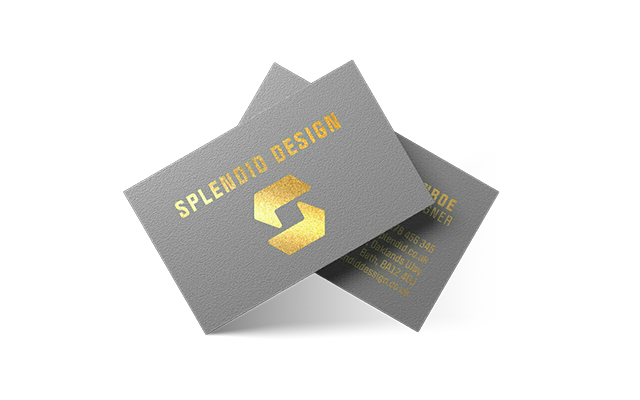
- Black and gold – Ideal for a premium look, especially when paired with foil.
- Neutrals with a bold accent – Clean and modern without appearing bland.
Avoid harsh or “vibrating” combinations like red on green, or purple on blue, which are hard to read. Pale fonts on light backgrounds are also best avoided for clarity.
Aligning Fonts and Colours with Your Brand Identity
Fonts and colours aren’t just decorative—they communicate your business values. A consistent brand identity builds trust and makes your card instantly recognisable.
Essentials for Brand Consistency:
- Use branded fonts: Reflect the typography used in your logo or website.
- Stick to your brand colours: Avoid introducing new tones unless you’re updating your identity.
- Match tone and personality: Creative agencies may use bold colours and modern fonts, while financial or legal firms may prefer conservative combinations.
Understanding Colour Psychology:
- Blue – Reliability and professionalism.
- Green – Growth, health, and eco-awareness.
- Red – Confidence, energy, and urgency.
- Black/Grey – Sophistication and authority.
Accessibility in Business Card Design: Fonts and Colours That Everyone Can Read
A well-designed business card should be accessible to as many people as possible. That means thinking beyond style to ensure readability for users with visual impairments or colour vision deficiencies.
- High contrast text: Use dark text on light backgrounds or vice versa. Avoid pale fonts over coloured stock.
- Readable typefaces: Stick to sans-serif or clean serif fonts. Avoid ornate scripts or condensed letterforms.
- Consider colour blindness: Avoid relying solely on colour to convey meaning. Red/green combinations are especially difficult for many.
- Minimum size compliance: Ensure body text is no smaller than 8pt and test designs at arm’s length.
Accessible design not only expands your audience but also reflects professionalism and care for your customer base.
Balance Typography with Logos and Graphics
Strong business card designs rely on visual balance. Your fonts should never compete with your logo or any supporting visuals. Instead, they should work together to reinforce your brand’s presence.
- Proportional design: Ensure your logo doesn’t overpower text, and vice versa.
- Alignment matters: Centre or align text in relation to your brand icon for symmetry.
- Whitespace: Give your text and logo breathing room so each element is easy to absorb.
If your design includes a bold icon or colourful graphic, consider using simpler typography to maintain clarity.
Choose the Right Paper Stock and Finish
The feel of your business card leaves a tactile impression. Paper quality not only affects durability but also the way fonts and colours appear once printed.
- Heavier stock (350gsm+): Feels premium and holds ink well.
- Textured cards: Add personality, but can impact the legibility of small or fine fonts.
- Uncoated vs coated: Uncoated stock gives a natural finish; coated stock enhances colour vibrancy.
Consider the end experience. A heavier card with subtle texture often communicates more quality than a standard glossy finish.
2025 Trends in UK Business Card Design
Printed business cards are adapting to a more refined, tactile and minimalist design language. The focus has shifted toward understated layouts and quality materials that reflect clarity and professionalism.
What’s Trending:
- Minimalist layouts: Clean designs with generous white space and focused text.
- Typography-forward cards: Fonts used as visual anchors or artistic elements.
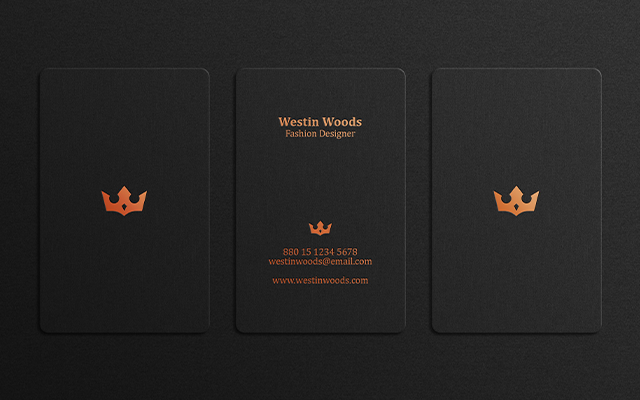
- Muted and earthy tones: Olive, clay, charcoal—tones that signal authenticity and calm.
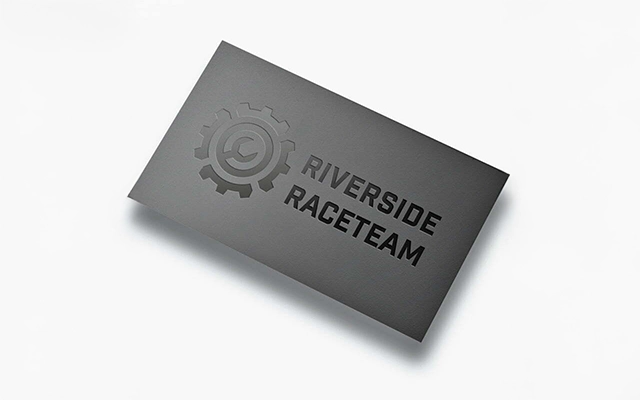
- Metallic foils and embossing: Premium finishes that add depth and tactile contrast.
These trends emphasise deliberate design choices. Less is more—especially when space is limited and first impressions count.
Print Testing and Real-World Design Checks
No matter how good your business card looks on screen, it’s essential to test how it performs in print. Small font sizes, thin lines, and low contrast can behave differently when transferred to paper.
- Print at actual size: Always print test cards at 100% scale on a home or office printer to check legibility.
- Proof on similar stock: Try to use paper with similar weight and texture to your final card material.
- Check under different lighting: Test readability in daylight and dim conditions.
- Test font combinations: Mix headers, body, and accent fonts to see how they interact visually.
Before you commit to a full print run, consider ordering a sample from your printer. This helps spot alignment, contrast, and sizing issues early—saving time and money.
Design Inspiration: Business Card Styles That Work
If you’re unsure of where to start, consider the following proven design styles. Each offers a unique way to express your brand personality through font, colour and layout.
- Minimalist design: Simple fonts, subtle colours, and clean spacing for a modern, sophisticated look.
- Vintage or retro: Script fonts and warm tones evoke nostalgia while staying stylish.
- Bold and geometric: Strong shapes, vibrant colours, and heavy-weight typography for maximum impact.
- Cards with a twist: Consider non-standard shapes, fold-out elements or spot gloss to leave a memorable impression.
Whichever style you choose, ensure it’s consistent with your existing branding—and that it prints as beautifully as it looks on screen.
Design Mistakes to Avoid
- Too many fonts or colours: Creates visual clutter and confusion.
- Poor contrast: Makes text hard to read, especially in low lighting.
- Overuse of effects: Drop shadows, bevels, or gradients often reduce legibility.
- Inconsistent alignment: Misaligned text or logos can make the design feel unprofessional.
- Neglecting proofing: Typos and formatting errors damage credibility—always review before printing.
A business card should be clear, cohesive, and easy to digest at a glance. Prioritise structure and balance over novelty. For accessible colour contrast ratios, refer to WCAG guidelines.
Conclusion: Design with Clarity and Intent
Fonts and colours are more than design tools—they’re brand signals. By selecting typefaces and colour schemes that reflect your identity and print effectively, you ensure your business card sends the right message every time it’s handed out.
Keep your layout structured, your type readable, and your print finish aligned with your brand quality. A well-designed business card has the power to open doors.
Ready to print cards that speak for you? Explore our premium business card printing or match your designs across our full stationery range. Make every detail count.
Discover how to create professional business cards using free online tools, with expert design tips and UK print standards. Learn about both printed and digital card options to suit your workflow and budget.
A well-designed business card still holds power in today’s digitally driven world. Whether you’re building a start-up, working freelance, or attending networking events, your business card can help you make lasting impressions and reinforce your brand identity. But professional design doesn’t have to come at a price. This guide explores the best business cards design tools available for free, tailored for UK users. We’ll cover everything from choosing the right platform to preparing your card for print or digital sharing, plus expert design tips to help your cards stand out—for all the right reasons.
Why Business Cards Still Matter in 2025
Despite advances in digital networking, business cards remain a key part of professional communication. According to Wave, 72% of people judge a company or person by the quality of their business card—highlighting just how influential this small tool can be.
In the UK, business cards are still widely used at events, exhibitions, and client meetings. A well-designed card provides a tangible connection and helps people remember who you are long after the initial conversation.
Top Free Tools to Design Business Cards Online (UK-Friendly)
You don’t need to invest in professional software to create high-quality business cards. Several free online platforms offer editable templates, branding options, and PDF exports that work with UK printers.
Recommended free options include:
- Browser-based design tools – Drag-and-drop interfaces with ready-made templates.
- Text-based generators – Type your info, download a layout instantly.
- Offline layout software – Ideal for those working without internet access.
Look for features like UK standard sizing (85 x 55 mm), high-resolution PDF export, CMYK colour compatibility, and access to royalty-free fonts or icons.
Step-by-Step: How to Design a Business Card Using Canva (Free)
Canva’s free version is one of the most popular tools for designing business cards, especially for UK users seeking high-quality, print-ready layouts without needing design experience. Here’s how to create your card from scratch:
- Visit: Canva.com and sign in or create a free account
- Search: Type “business card” into the search bar and choose a template (select landscape or portrait)
- Edit: Replace placeholder text with your own contact details
- Upload: Add your logo via the “Uploads” panel
- Customise: Use your brand colours, fonts, and icons
- Download: Click “Share” > “Download” and choose PDF Print (Crop marks + bleed)
Be sure to choose the CMYK-compatible PDF option and double-check sizing to match UK business card specs (85 x 55 mm with 3 mm bleed). Learn More.
Designing a Business Card That Works
Your business card should communicate your brand clearly and professionally. Here are core elements to include:
- Full name and job title
- Business name or logo
- Phone number and email address
- Website and/or social media handles
- QR code linking to a booking system or portfolio (optional)
Follow UK print standards:
- Card size: 85 x 55 mm
- Bleed: 3 mm on all sides
- Colour: CMYK for accurate print reproduction
- Resolution: Minimum 300 DPI
Keep text readable, stick to a clean layout, and allow room for white space. Brand colours and typography should remain consistent with your wider marketing.
Creating a QR Code for Your Business Card
QR codes are a fast-growing feature on business cards, letting you connect print and digital touchpoints. You can link directly to a website, portfolio, contact form, or calendar.
Steps to add a QR code:
- Choose a free QR code generator (e.g. qrcode-monkey.com, goqr.me)
- Select the content type (URL, vCard, email, social profile, etc.)
- Enter your data and generate the QR code
- Download in PNG or SVG format
- Insert into your card design, ensuring it’s at least 2cm x 2cm for scannability
Test your code using different phones before printing. Use black or dark-coloured QR codes on light backgrounds to ensure high contrast.
Printing Your Business Cards in the UK
Before sending your design to print, ensure it meets the following specifications:
- File format: PDF or PDF/X-1a
- Colour: CMYK
- Resolution: 300 DPI
- Bleed: 3 mm on all edges
- Safe zone: Leave 5 mm inside the trim for important text
Choose a stock and finish that suits your brand. Uncoated stock is ideal for writing on, while silk or velvet lamination adds a tactile quality.
Paper Types and Business Card Formats
UK business cards come in more than just the standard rectangle. You can choose from:
- Mini cards: Slim, eye-catching, and modern
- Square cards: Great for minimalist brands and QR codes
- Folded cards: Extra space for booking details or testimonials
Popular paper types include:
- Uncoated: Writable, ideal for appointments or notes
- Silk Coated: Smooth finish, professional look
- Recycled: Eco-conscious option with a matte finish
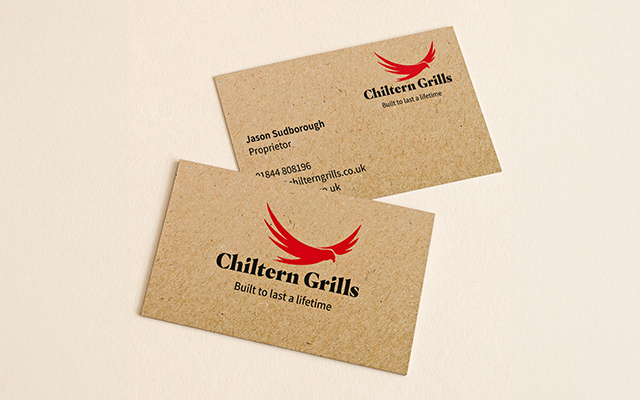
- Kraft: Rustic brown stock for artisanal or earthy brands
You can also apply finishes like Spot UV for added contrast or soft-touch lamination for a velvet texture.
Adding Social Media Details to Your Card
Including your social media can be a great way to build trust and expand your reach. You can:
- Add platform icons followed by your handle (e.g.
@yourusername) - Use a QR code to link directly to your Instagram or LinkedIn profile
- Position handles near your contact info or on the back of the card
Be selective—include only active platforms relevant to your audience and brand tone.
Common Mistakes to Avoid When Designing Business Cards
Even with the best tools, it’s easy to overlook small details that can ruin the final result. Avoid these common design pitfalls:
- Low-resolution images: Always use 300 DPI or higher for logos and photos
- Missing bleed: Add a 3 mm bleed on all sides to avoid unwanted white edges
- Incorrect colour mode: Convert files to CMYK before exporting for print
- Overcrowding: Avoid clutter—keep it clear with generous white space
- Font too small: Use at least 8pt for legibility; 10pt or higher for contact details
- Edge-hugging content: Leave a 5 mm margin between text and the card’s edge
Test print a few cards at home before ordering in bulk—it’s the easiest way to catch mistakes before it costs you.
Conclusion: Start Designing with the Right Free Tool
Whether you’re preparing for an event or refreshing your brand, free tools let you create effective business cards without cost. Use platforms that support UK size standards, design with clarity, and prepare your file properly for print.
Start creating your business cards today and give your brand the professional finish it deserves.
The standard UK business card measures 85mm × 55mm, but variations like square, mini, and folded A well-designed business card remains a powerful tool for in-person branding and lasting impressions. Creative layouts, smart materials, and interactive features can help your business card stand out in competitive UK markets.
In an increasingly digital world, business cards remain a valuable part of face-to-face networking across the UK. Whether you’re attending trade shows, client meetings, or local events, a well-crafted card is more than just contact information—it’s a tactile reflection of your brand. For anyone offering business cards or related services, this compact format can open big opportunities when done right.
A truly effective card doesn’t just share details—it makes a lasting impression. In this guide, we’ll explore a multitude of innovative business card design ideas, backed by visual strategy and design psychology, to help your business stationery printing make an impact.
The Psychology of Colour and Visual Hierarchy
Design isn’t just about aesthetics—it influences how people respond emotionally and visually. Colour plays a central role in guiding attention and shaping first impressions, making it a powerful element in your business card design.
Here’s how colour choices can influence perception:
- White: Clean, neutral and ideal for focusing attention on text
- Blue: Universally favoured—associated with trust and dependability
- Yellow: Optimistic, creative and energising
- Green (deep shades): Suggests growth, prestige and balance
- Peach and pastel tones: Calming and harmonious
- Black or Charcoal: Sophisticated and timeless
To guide the eye effectively, maintain a clear visual hierarchy: bold titles, generous spacing, and contrast between background and text. Let your most important details—like your name or business name—stand out naturally using size, weight, or colour contrast.
Typography as a Design Feature
Typography isn’t just for readability—it can be a defining visual element. When used creatively, type can set the tone of your brand at a glance. Clean sans-serifs convey modernity and confidence, while serif fonts can suggest tradition and trust. For bolder impact, consider:
- Oversized headlines: Make your name or brand the central visual focus
- Monospaced or custom fonts: Add character and help differentiate your brand
- Contrast in size and weight: Use hierarchy to direct attention to key details
- Letterpress or raised ink: Let the typography be felt as well as seen
Consistency with your brand’s font family across all materials—from cards to signage—reinforces recognition and trust.
Design Tips by Industry: Tailoring Cards to Your Audience
Every profession calls for a slightly different approach to business card design. Subtle adjustments to format, colour, and finish can help your card speak directly to your intended audience.
- Creative professionals: Use full-bleed photography, custom illustrations or uncoated stock to reflect a tactile, artistic sensibility.
- Corporate services: Clean layouts, serif typography, and dark colour palettes project professionalism and trustworthiness.
- Trades and skilled services: Consider thick, durable card stock, clear contact info, and bold typography for maximum legibility.
- Health and wellness brands: Soft pastels, rounded corners, and calming textures convey care and approachability.
- Tech and startups: Minimalist designs with smart features like QR codes or microtextures balance modern style with function.
By aligning your print design with your industry’s tone and audience expectations, your card becomes more than just informative—it becomes intuitive.
Advanced Print Finishes That Add Depth
While clean layouts and sharp content make a card functional, tactile print finishes turn it into an experience. These details elevate both perception and memorability:
- Embossing: Raises part of the design off the card surface, often used on logos or initials
- Debossing: Presses elements into the card for a subtle, recessed feel
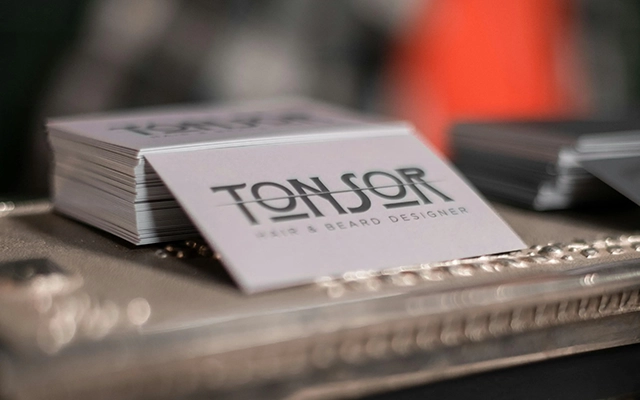
- Painted edges: Adds colour to the card sides for an eye-catching twist when viewed from the stack
- Triplex cards: Ultra-thick layers with contrasting coloured cores for extra durability and flair
These finishes not only enhance the look and feel but suggest craftsmanship and premium quality that clients remember.
Foldable, Pop-Up, and Multi-Panel Card Formats
If your card needs to share more than a name and number, folding formats provide additional real estate—without cluttering the front. These less common styles stand out in tactile and visual ways:
- Bifold cards: Double the space while still fitting wallet dimensions
- Pop-up or interactive folds: Surprise the viewer and add a layer of discovery
- Accordion or gatefold designs: Great for showcasing multiple services or a mini portfolio
Used sparingly and with clear layout planning, these structures turn your business card into a mini brochure or branded experience.
Bridging Print and Digital: Smart Business Cards
Physical business cards are evolving to keep pace with digital expectations. By incorporating smart features into your printed design, you can seamlessly connect offline interactions with online experiences.
- QR codes: Easily direct contacts to a portfolio, booking calendar or landing page—ideally positioned on the back for visual clarity.
- NFC chips: Embedded technology lets users tap your card with a smartphone to access key details without typing.
- Shortened links: Combine print with web using concise branded URLs for social profiles, promotions or product demos.
- Tracking and analytics: Digital integrations help measure engagement and campaign performance when used thoughtfully.
Smart features enhance printed cards without replacing them—giving recipients something they can keep, scan, and engage with on their own terms.
Make It Personal
Small details go a long way in helping your business card feel more human and memorable. Consider ways to add an authentic personal touch:
- Handwritten notes or signatures: Especially for service-based businesses or freelancers
- Custom stamps: Add handmade character and texture
- Multiple card versions: Print several variations with different illustrations, icons, or background colours
- QR codes to personalised landing pages: Let each card direct to a tailored experience
These gestures show thoughtfulness, reinforce your brand personality, and help spark conversation at events or meetings.
Understanding Card Thickness and Quality Standards
The thickness of your business card not only affects its durability but also shapes how your brand is perceived. A flimsy card can undermine credibility, while a firm, weighty one suggests professionalism and attention to detail.
In the UK, card thickness is typically measured in GSM (grams per square metre) or microns for plastic stock. Here’s a general guide:
- 300–350gsm: Standard for most budget-friendly cards
- 400–450gsm: Premium stock with a substantial feel
- 600gsm+ or triplex: Ultra-thick cards for high-end presentation
Pairing the right thickness with your finish—matte, silk, or uncoated—can dramatically enhance the sensory impact of your card.
Mockups and Pre-Print Checks
Before sending your business card design to print, take time to create a high-resolution mockup. This allows you to evaluate alignment, spacing, and contrast across multiple screen types—and catch issues early.
- Use digital mockup tools: Preview front and back designs in real-world lighting scenarios
- Print a test version at home: It may not be an exact match for colours, but it helps identify font size or spacing issues
- Review bleeds and trim lines: Ensure artwork extends correctly to avoid white edges after cutting
- Proofread carefully: Spelling errors on a printed card leave a lasting (unwanted) impression
Mockups are especially useful when trying out less traditional formats like vertical orientation, folds, or edge painting.
Don’t Overlook Presentation: Card Holders and Sleeves
The first touchpoint with your card doesn’t have to be the card itself—it could be its holder. Presentation adds an extra layer of branding and care, especially for in-person handovers, event packs, or high-value leads.
- Branded card holders: Include your logo or design theme for a consistent brand experience
- Sleeves or wraps: Ideal for premium cards or layered finishes that benefit from extra protection
- Eco-conscious packaging: Choose recyclable or biodegradable wraps that reinforce your sustainability message
When you combine great design with intentional presentation, your business card becomes more than a takeaway—it becomes part of your brand story.
Selecting the Right Business Card Printer in the UK
Once your design is finalised, choosing the right printer can make or break the final result. The best printers will offer a balance of quality, flexibility, and support—especially when working with advanced finishes or formats.
Here’s what to look for when selecting a UK-based business card printer:
- Range of finishes: Ensure they can accommodate foil stamping, embossing, spot uv, triplex stock, or foldable formats
- Sustainable Options: Check for recycled stocks, eco inks, or low-waste production practices
- GSM and thickness variety: Confirm that they offer premium weights like 400gsm and beyond
- Pre-print proofing: Look for services that offer digital proofs or test runs before full print
- Minimum order flexibility: Ideal for startups or custom campaigns that require smaller batch runs
- Delivery and turnaround: Ensure timelines align with your business schedule, especially for events or launches
Working with a printer that understands both design intent and technical constraints ensures your card not only looks stunning but performs reliably across touchpoints.
Conclusion: Make Every Card a Reflection of Your Brand
In today’s crowded and competitive UK market, a memorable business card still holds power. Whether you opt for modern materials, bold typography, sustainable practices, or interactive features, your design choices should reflect what your brand stands for—and how you want to be remembered.
From shape and stock to print finish and presentation, each element has a role in turning a simple card into a statement. The best business cards don’t just share contact details—they express personality, instil trust, and spark conversations.
Next step? Turn inspiration into action by drafting a design, testing your layout, and selecting finishes that align with your vision. Whether it’s ultra-minimal or full of texture, your business card is a small format with big potential.
The standard UK business card measures 85mm × 55mm, but variations like square, mini, and folded formats offer creative flexibility. Understanding design zones, international sizing, pixel dimensions, and print specifications ensures your card is both visually appealing and print-ready.
A professionally designed business card still plays a vital role in face-to-face networking—even in a world dominated by digital connections. Whether you’re attending a trade show, meeting potential clients, or simply introducing your brand, the right business cards size and layout helps you leave a strong and lasting impression.
This guide covers everything you need to know about UK business card dimensions and layouts in 2025, including standard sizing, international variations, pixel requirements, layout tips, and design trends that reflect your professionalism and creativity.
Standard UK Business Card Size and Dimensions
The most widely used business card size in the UK is 85mm × 55mm. This size fits comfortably into wallets, holders, and card cases—making it practical for networking across industries.
When designing for print, allow for bleed and internal safe zones to prevent trimming errors:
- Finished size: 85mm × 55mm
- Artwork with bleed: 91mm × 61mm (3mm on each edge)
- Safe zone: Keep key content 3mm inside the trim line
These guidelines ensure that background elements extend to the edge and essential content remains centred and readable.
Understanding Bleed, Margins and Print-Safe Areas
Printing requires extra space beyond the trim edge to account for cutting discrepancies. This is known as the bleed area, and it’s essential for full-bleed designs that reach the card’s edge without white borders.
- Bleed area: Extend backgrounds 3mm beyond each edge (total artwork size = 91mm × 61mm)
- Trim line: The cut edge of the final card (85mm × 55mm)
- Safe zone: Place logos, text, and contact details at least 3mm inside the trim to avoid accidental cuts
For sharp, consistent output, design using CMYK colour mode and set image resolution to 300dpi.
International Business Card Size Comparison
If your business operates globally, understanding international sizing standards helps maintain brand consistency across markets. While the UK typically uses 85mm × 55mm, dimensions vary worldwide:
| Region | Size (mm) |
|---|---|
| United Kingdom / EU | 85 × 55 |
| United States / Canada | 89 × 51 |
| Japan | 91 × 55 |
| Australia / New Zealand | 90 × 55 |
| Credit/Debit Card | 85.60 × 53.98 |
Most cardholders are designed to accommodate slight differences, but aligning your sizing to the recipient’s region ensures better fit and presentation.
Designing for Print: Pixel Dimensions and Resolution
Sharpness is essential for printed business cards. Adobe UK confirms that a resolution of 300 PPI (pixels per inch) is the recognised standard for high-quality print output, particularly on small-format items like business cards. Anything significantly below this—especially under 180 PPI—can result in visible blur or jagged edges.
To prepare your artwork correctly:
- Finished card size: 1004 × 650 pixels (corresponding to 85 × 55 mm at 300 PPI)
- With bleed: 1075 × 725 pixels (to match 91 × 61 mm including a 3 mm bleed margin)
Ensure that all photography and raster graphics meet or exceed the 300 PPI standard at actual print size. Using vector graphics for logos is recommended to maintain crispness during output.
Choosing the Right Fonts for Your Industry
Your font choice influences how recipients perceive your brand—long before they read a single word. Beyond readability, typography should reflect the tone and sector of your business. Here’s a general guide:
- Serif fonts (e.g. Times New Roman, Garamond): Reliable and traditional — ideal for legal, finance, and consultancy sectors.
- Sans serif fonts (e.g. Helvetica, Open Sans): Clean and modern — well-suited for tech, digital, and start-ups.
- Script or decorative fonts: Elegant and personal — appropriate for creative professionals, event planners, or boutique brands (use sparingly).
Always test fonts at actual print size to ensure legibility, especially when space is limited. Stick to a maximum of two font styles per card to maintain clarity.
How Different Professions Use Business Cards
Different industries call for different approaches when it comes to business card design. Tailoring your layout, stock, and content to your profession ensures your card reflects your unique brand while meeting practical needs.
- Freelancers & Creatives: Bold layouts, square or mini formats, and eye-catching colours help showcase individuality. A QR code linking to a portfolio adds further value.
- Consultants & Legal Professionals: Opt for traditional layouts with serif fonts on heavyweight silk or uncoated stock. Emphasise professionalism and clarity.
- Retail & Hospitality: Use uncoated or kraft stocks that double as loyalty or appointment cards. Mini cards are also popular as social or promotional tokens.
- Tech & Start-Ups: Portrait layouts and minimalist fonts give a modern feel. Incorporate NFC chips or QR codes linking to contact files or pitch decks.
- Event & Wedding Planners: Use decorative fonts, soft-touch coatings, or metallic finishes to match the aesthetic of your service.
Designing with your profession in mind ensures your business card feels intentional—not generic.
Popular UK Business Card Stocks and Finishes
Material and finish can say just as much as your design. Different paper stocks and coatings not only affect texture and durability, but also communicate your brand values. Here are some common UK options:
- Silk Coated (350–450gsm): A smooth, matte finish with subtle sheen — ideal for general business use.
- Uncoated: Easy to write on — popular for appointment or loyalty cards.
- Kraft board (457mic): Rustic and tactile — suits eco, craft or café brands.
- Recycled stock (350gsm): Environmentally responsible — great for green-conscious companies.
- Metallic or pearlescent (e.g. Ice Gold): Adds shimmer — ideal for events, luxury or creative industries.
For added visual impact, consider spot UV, embossing, debossing or foil stamping. Just be sure to follow your printer’s artwork guidelines when using these special effects.
Distribution Tips and Business Card Etiquette
Knowing when and how to share your business card is just as important as what’s on it. A great card can start a conversation or cement a new connection when used thoughtfully.
- Be prepared: Always carry a few cards in a clean holder to avoid damage.
- Be selective: Share your card at the end of a conversation or when someone expresses interest—not immediately.
- Exchange cards: Ask for the other person’s card in return—it shows interest and encourages mutual contact.
- Follow up: Use LinkedIn or email to reconnect and build rapport after exchanging cards.
- Think creatively: Include cards in orders, packaging, event giveaways, or even as tags for products.
Keep your cards updated. Outdated information can undermine the professionalism you’re aiming to project.
Printed vs Digital Business Cards: When to Use Each
As business networking evolves, many professionals are combining printed and digital cards to cover all touchpoints. Understanding when each format works best can help you stay prepared and professional in every setting.
- Printed Cards: Best for in-person events, trade shows, retail packaging, and referrals. They offer a tactile brand experience and work well in face-to-face introductions.
- Digital Cards: Useful for virtual meetings, quick follow-ups, email signatures, and remote networking. They can be shared via link, QR code, or NFC tag embedded in a device or card.
- Hybrid Strategy: Include a QR code on your printed card linking to a full digital version—such as a LinkedIn profile, online portfolio, or vCard download.
Using both formats ensures you’re ready to connect with contacts, no matter where you meet them. Learn More.
Final Artwork Checklist for Print-Ready Business Cards
Before sending your design to print, double-check these essentials to avoid costly errors:
- Artwork size: 91mm × 61mm (includes 3mm bleed on all sides)
- Safe zone respected: Text/logos at least 3mm from the trim edge
- File format: PDF with bleed and crop marks
- Resolution: 300dpi for all images and logos
- Colour mode: CMYK, not RGB
- Text outlined or embedded: Prevents font substitutions during printing
- Check contrast: Ensure all text is readable against background colours
Print a sample on your office printer to double-check design scale and spacing before committing to a final run.
Conclusion: Create a Card That Represents You
Your business card isn’t just a contact method — it’s a reflection of your brand, professionalism and attention to detail. By understanding UK sizing standards, international variations, and layout best practices, you’ll be equipped to create a card that makes the right impression.
Choose a format and material that suits your sector, and follow proven design rules to ensure it’s legible, memorable, and ready for print. Whether you’re handing it over at a networking event or slipping it into a package, a great card can open new conversations and strengthen brand perception.
Ready to design a business card that represents your business with clarity and confidence? Start customising your business stationery today with professional templates, premium finishes and expert print support.
A well-designed business card should include essential contact details, reflect your brand identity, and remain clear and uncluttered. By incorporating modern features like QR codes and using quality materials, you create a lasting impression that supports professional credibility.
Why Business Cards Still Matter in the Digital Age
Despite the rise of digital networking, business cards remain an essential tool for professionals across the UK. Whether you’re attending an industry expo in Birmingham or meeting clients in Bristol, a well-designed card leaves a strong and lasting impression.
This guide explores exactly what to include on a business card for UK businesses and individuals—covering essential contact details, modern features, and practical design tips to ensure your card works effectively. For those building a full suite of printed materials, it’s also worth considering your wider business stationery printing needs to maintain brand consistency.
The Essentials: Information Every UK Business Card Should Include
Your business card must quickly communicate who you are and how to reach you. Include the following key details:
- Full name – Use your full name along with any relevant professional titles (e.g. Dr, RIBA, MA).
- Job title or role – Be specific: “Marketing Consultant” is clearer than “Marketing”.
- Company name and logo – Ensure consistency with other branding materials, including your main business identity.
- Contact information:
- Mobile or landline phone number
- Professional email address
- Website URL
- Business address – Particularly useful for businesses with a physical location.
- Social media handles – Include only those used actively for professional purposes, such as LinkedIn or Instagram.
Prioritise clarity. Avoid overcrowding your card with too many details—less is often more.
What to Put on the Front vs Back of Your Business Card
For clarity and impact, split your content across both sides of the card. This helps keep the design clean while conveying all necessary details.
Front of the Card
- Company name
- Logo
- Website URL
- Tagline or service descriptor
Back of the Card
- Your name
- Job title
- Contact details (email, phone)
- Optional: profile photo, social media handles, QR code
Dividing content between both sides allows for stronger hierarchy and a more polished layout.
Designing a Card That Stands Out
A good layout and clean design can make your card more memorable. Consider the following:
Standard UK Size and Format
- 85mm × 55mm is the standard UK business card size.
- Add a 3mm bleed around the edges to prevent important content from being trimmed.
- Use a safe zone—typically 3–5mm inside the edge—to keep text and logos clear of the trim area.
Layout and Typography
- Orientation – Landscape is most common, but portrait formats are gaining popularity.
- Font size – Keep text legible; 12pt is generally a safe minimum.
- Spacing – Use white space effectively to improve clarity and flow.
Colour and Branding
Stick to your brand’s colour palette and avoid clashing combinations. Maintain visual consistency across your printed and digital materials.
Psychology-Backed Business Card Design Principles
Design isn’t just visual—it’s psychological. Subtle choices in layout, spacing, and colour impact how people perceive you and how well they remember your brand.
- Visual hierarchy – The eye naturally scans top-left to bottom-right. Place your name and job title where they’ll be seen first.
- Gestalt principles – Group related information together to make the card easier to scan and understand.
- Font associations – Serif fonts convey tradition and trust; sans-serif suggests modernity and clarity.
- Whitespace – Improves legibility and creates a sense of professionalism and calm.
- Tactile experience – Heavier card stock signals credibility and commitment. People often associate weight with value.
Designing with the brain in mind helps your card leave a stronger, longer-lasting impression.
Colour Psychology and What It Communicates
Colour choice isn’t just about style—it’s a key part of how your brand is perceived. Different colours carry different psychological cues:
- Blue – Trustworthy, reliable, calming
- Green – Sustainability, wealth, health
- Yellow – Optimism, clarity, creativity
- Black – Sophistication, authority, professionalism
- White – Clean, modern, neutral
Match your colours with your industry and brand personality for stronger visual impact.
Modern Features That Enhance Your Card
Today’s business cards can do more than list your contact details. Incorporating digital elements increases functionality and adds a professional touch.
- QR Codes – Direct recipients to your website, digital portfolio, contact form or review page. Always test the code before final printing.
- Profile Photos or Headshots – Ideal for service-based businesses like consultants or coaches—people are more likely to remember a face.
- NFC Technology – Some premium business cards include tap-to-share functionality for websites or contact info.
Cards with imagery are more memorable and increase the likelihood of follow-up engagement.
How Business Card Design Varies by Industry
Preferences around layout, colour and content can vary widely depending on your sector. Tailoring your business card to your industry helps align expectations and boost credibility.
- Designers – Prefer minimalist cards with neutral tones and off-centre layouts; logos placed to the side, not centred.
- Estate Agents – Favour large logos and bold colours, with oversized contact info at the front.
- Tradespeople – Gravitate toward simple, strong cards with large central logos and practical QR codes.
- Personal Trainers – Prefer energetic colour schemes and bold logos to highlight their brand personality.
- Marketing Agencies – Value balance: neutral palettes with sleek fonts, logo on the left, and details opposite.
Understanding how your target audience responds to design choices gives you a stronger starting point when creating your card.
Creative Uses for the Reverse Side
While the front of your card does the initial heavy lifting, the reverse side offers prime real estate for added functionality or branding flair. Consider these uses:
- Loyalty stamps – Popular for cafés and service-based businesses
- Mini appointment calendar – Great for clinics, stylists, and consultants
- Promo code or referral incentive – Encourages follow-up interaction
- Social proof – Feature a 5-star review badge or testimonial quote
- Simple map or location directions – Ideal for walk-in businesses
Maximise both sides without making either feel crowded. A clean reverse can also provide space for handwritten notes or signatures.
Avoiding Common Mistakes
Even with a strong design, a business card can fall flat if the content or execution is poor. Common issues to avoid:
- Overcrowding the card with too much information
- Using too many fonts or decorative typefaces
- Poor colour contrast (e.g. light grey on white)
- Outdated or incorrect contact details
- Low-quality printing or thin paper stock
Always request a sample or proof before placing a full print order.
Exploring Non-Standard Sizes and Materials
While the standard UK size (85mm × 55mm) works well for most applications, there are times when thinking outside the box can pay off.
Alternative Sizes
- Square cards – 55mm × 55mm format makes a bold visual impact
- Mini cards – Slimmer or narrower cards for a minimalist approach
- Oversized cards – Stand out in a stack, but may not fit wallets
Material Options
- Kraft Board – Recycled, rustic feel, ideal for eco brands
- Plastic or PVC – Durable and waterproof
- Wood or metal – Premium impact with long-term retention
- Triplex or duplex cards – Multi-layered cards for thickness and contrast edging
Unique formats come at a higher cost, but if memorability is your priority, they’re worth considering.
Choosing the Right Paper and Finish
The feel of your card affects how your brand is perceived. A well-finished card conveys professionalism and attention to detail.
Recommended Paper Weight
Use at least 350gsm stock for a sturdy, high-quality result.
Popular Finishes
- Matte – Smooth and understated
- Gloss – Shiny and vibrant
- Spot UV – Subtle texture highlights
- Foil Stamping – Premium metallic accents
- Recycled stock – For sustainability-conscious brands
Additional Options
- Rounded corners
- Double-sided designs
- Textured or laminated finishes
People often make snap judgments based on design and print quality—something as small as a flimsy or poorly laid-out card can reflect poorly on your business.
Are There Legal Requirements for UK Business Cards?
In the UK, business cards are not legally required to display your company registration number, VAT number or registered office address—unless the card is being used as formal company stationery (e.g. for quotes, contracts, or invoices).
That said, if you’re in a regulated industry or offering legal services, it’s often advisable to include your registered company name and address for transparency. When in doubt, check with your accountant or compliance officer.
- The full registered company name
- Company registration number
- Registered office address
For everyday use, most business cards don’t require this legal information.
Examples from UK Professionals
- Tradesperson – Clean layout with mobile number, “24/7 Emergency Callouts” tagline, and QR code linking to Checkatrade reviews.
- Freelancer – Portrait card with muted colours, role title, website link and portfolio QR code on the back.
- Local café – Kraft paper card with logo front and loyalty stamp section on reverse, matching their sustainable branding.
Think about how and where your card will be used—whether it’s pinned to a corkboard or tucked in a wallet—and design accordingly.
How Many Business Cards Should You Print?
The quantity you order affects both your per-card cost and how often you’ll need to reorder. If your contact details change frequently, consider starting with a smaller batch to test your design and messaging.
- Small batch (100–250) – Ideal for freelancers, events, or testing new layouts
- Mid-range (500–1,000) – Great for everyday networking and client-facing roles
- Bulk (2,000+) – Suited for high-volume distribution or marketing campaigns
Bulk orders reduce cost per card, but only make sense if your info won’t change soon.
Best Tools to Design a Business Card Online (Free & Paid)
Whether you’re starting from scratch or refining an existing layout, there are several user-friendly tools to design a professional business card:
Free Tools
- Canva – Offers free templates with drag-and-drop editing. Great for beginners.
- Adobe Express – Free version includes business card templates and brand kits.
- VistaCreate – Offers free business card layouts and easy customisation.
Paid or Pro-Level Tools
- Adobe Illustrator – Ideal for designers needing full vector control and CMYK settings.
- Affinity Designer – A lower-cost alternative to Adobe that supports professional print layouts.
Start with a template, but customise it with your own branding, fonts, and colours to stand out.
What the Data Says About Business Card Design
Even in today’s digital-first world, the design and material quality of a business card still shape professional perception.
- Nearly 39% of respondents say they would be less likely to do business with someone who presented a “cheap-looking” or poorly designed business card
- Business cards featuring a photo are retained by recipients nearly twice as often—suggesting stronger recall when the card adds personal or visual appeal
- Over half of professionals (approximately 57%) still consider business cards vital for face-to-face networking, reinforcing their ongoing relevance [1]
These findings underline that a well-designed and tangible business card continues to matter—and can influence trust, engagement, and retention.
Conclusion: Make Every Card Count
Your business card is more than just a piece of printed paper—it’s a personal introduction, a brand statement, and a marketing tool all in one. By carefully choosing what to include, how to design it, and what materials to use, you can create a card that not only shares your details but leaves a lasting impression.