Discover how to create professional business cards using free online tools, with expert design tips and UK print standards. Learn about both printed and digital card options to suit your workflow and budget.
A well-designed business card still holds power in today’s digitally driven world. Whether you’re building a start-up, working freelance, or attending networking events, your business card can help you make lasting impressions and reinforce your brand identity. But professional design doesn’t have to come at a price. This guide explores the best business cards design tools available for free, tailored for UK users. We’ll cover everything from choosing the right platform to preparing your card for print or digital sharing, plus expert design tips to help your cards stand out—for all the right reasons.
Despite advances in digital networking, business cards remain a key part of professional communication. According to Wave, 72% of people judge a company or person by the quality of their business card—highlighting just how influential this small tool can be.
In the UK, business cards are still widely used at events, exhibitions, and client meetings. A well-designed card provides a tangible connection and helps people remember who you are long after the initial conversation.
You don’t need to invest in professional software to create high-quality business cards. Several free online platforms offer editable templates, branding options, and PDF exports that work with UK printers.
Look for features like UK standard sizing (85 x 55 mm), high-resolution PDF export, CMYK colour compatibility, and access to royalty-free fonts or icons.
Canva’s free version is one of the most popular tools for designing business cards, especially for UK users seeking high-quality, print-ready layouts without needing design experience. Here’s how to create your card from scratch:
Be sure to choose the CMYK-compatible PDF option and double-check sizing to match UK business card specs (85 x 55 mm with 3 mm bleed). Learn More.
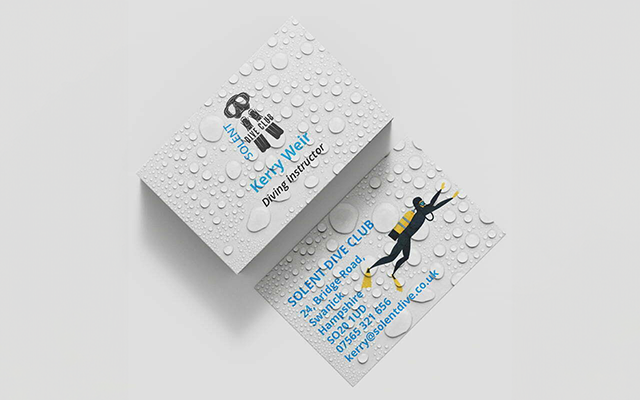
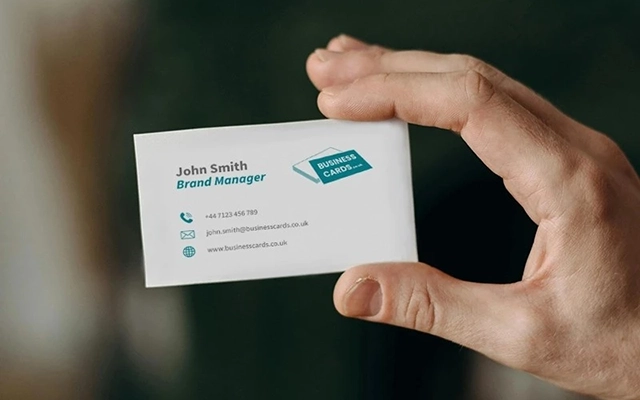
Your business card should communicate your brand clearly and professionally. Here are core elements to include:
Follow UK print standards:
Keep text readable, stick to a clean layout, and allow room for white space. Brand colours and typography should remain consistent with your wider marketing.
QR codes are a fast-growing feature on business cards, letting you connect print and digital touchpoints. You can link directly to a website, portfolio, contact form, or calendar.
Test your code using different phones before printing. Use black or dark-coloured QR codes on light backgrounds to ensure high contrast.
Before sending your design to print, ensure it meets the following specifications:
Choose a stock and finish that suits your brand. Uncoated stock is ideal for writing on, while silk or velvet lamination adds a tactile quality.
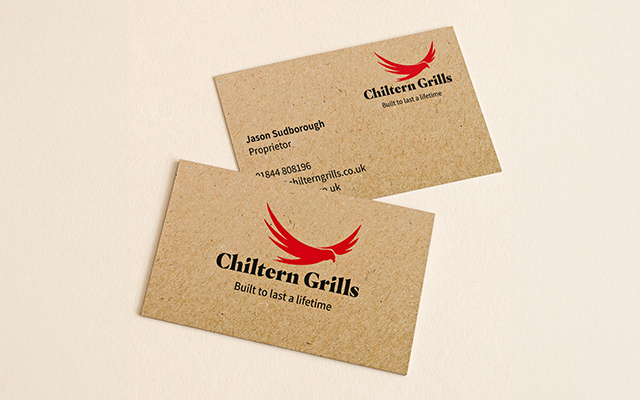
UK business cards come in more than just the standard rectangle. You can choose from:
Popular paper types include:
You can also apply finishes like Spot UV for added contrast or soft-touch lamination for a velvet texture.
Including your social media can be a great way to build trust and expand your reach. You can:
@yourusername)Be selective—include only active platforms relevant to your audience and brand tone.
Even with the best tools, it’s easy to overlook small details that can ruin the final result. Avoid these common design pitfalls:
Test print a few cards at home before ordering in bulk—it’s the easiest way to catch mistakes before it costs you.
Whether you’re preparing for an event or refreshing your brand, free tools let you create effective business cards without cost. Use platforms that support UK size standards, design with clarity, and prepare your file properly for print.
Start creating your business cards today and give your brand the professional finish it deserves.

Business Cards UK
Unit 4-10 Stanton Road Ind. Est.
Stanton Road
Southampton
Hampshire
United Kingdom
SO15 4HU
© businesscards.co.uk 2026 | Unit 4-10 Stanton Ind. Est, Southampton, Hampshire, UK SO15 4HU